
Download Piano Banking – Mobile Banking, Finance, Secure Transactions
Overview
Piano Banking is a mobile banking application developed by Banco Piano S.A., designed to bring essential financial services directly to users’ Android devices. As a tool in the Business & Productivity category, specifically within Finance, the app aims to simplify everyday banking tasks through a digital interface. Its primary purpose is to enable users to manage their accounts securely and efficiently from their smartphones, reducing the need for in-person visits to bank branches.
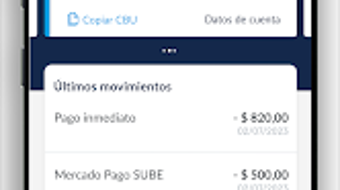
The app supports a range of common banking operations, including checking account balances, viewing transaction history, and accessing CBU (Banking Account Number) details. It also facilitates transfers between accounts, payment of taxes and bills, creation of fixed-term deposits, and foreign currency exchange. Additional functionalities include PIN and password resets, mobile top-ups, and public transportation card reloads.
These features are particularly useful for individuals managing personal finances or small business owners who require quick access to banking tools. The app is positioned as a convenient, all-in-one solution for digital financial management. It is available at no cost, making it accessible to a broad audience.
The developer did not provide additional information about the company’s background or global presence.
Key Features & Capabilities
- Account Management: Users can check balances, view transaction history, and access CBU details in real time, enabling transparent financial oversight.
- Money Transfers: The app allows transfers to other bank accounts, supporting both internal and external transfers with secure authentication.
- Bill and Tax Payments: Users can pay recurring and one-time bills, including taxes, directly through the app, reducing delays and manual errors.
- Fixed-Term Deposits: The platform enables users to create and manage fixed-term deposits, helping with savings planning and interest tracking.
- Foreign Currency Exchange: Users can buy and sell foreign currencies, useful for travelers or those with international financial needs.
- Security Management: The app includes tools for resetting PINs and passwords, ensuring users can regain access to their accounts securely.
- Mobile and Transit Top-Ups: Users can recharge mobile phone accounts and public transportation cards directly through the app, streamlining daily expenses.
These capabilities are tailored to meet the daily financial needs of individuals and small business operators. For example, a user can check their balance before making a purchase, schedule a tax payment ahead of the deadline, or set up a fixed deposit for future savings. The app’s integration of multiple services into a single interface enhances usability and reduces the need for multiple financial applications. The developer did not specify any advanced automation or AI-driven features, suggesting a straightforward, functionality-focused design.
User Interface, Workflow & Performance
The user interface of Piano Banking appears to be designed with simplicity and clarity in mind. Navigation is likely structured around a central dashboard that displays key account information, such as balance and recent transactions. From there, users can access different sections via a bottom navigation bar or side menu, a common pattern in Android banking apps.
The workflow for common tasks—such as transferring money or paying a bill—is expected to follow a step-by-step process, with clear prompts and confirmation screens to prevent errors. The app’s design emphasizes usability, making it accessible even to users with limited technical experience. However, specific details about interface elements, color schemes, or interaction patterns were not provided.
Performance observations are based on general software behavior patterns. The app is reported to have a file size of 25.6 MB, which suggests a lightweight footprint. This size may contribute to faster loading times and lower memory usage, though exact performance metrics were not specified.
The developer did not provide information on CPU or RAM consumption. Stability during use is assumed to be consistent with standard banking applications, but no real-world testing data was included. The app’s reliance on secure authentication protocols ensures data protection during transactions.
Compatibility & System Requirements
Piano Banking is designed for Android devices and is compatible with the latest versions of the operating system. The app’s latest version, 1.2.3, was released on July 15, 2023. It has a file size of 25.6 MB, indicating a relatively compact installation.
The developer did not specify exact system requirements, such as minimum Android version, RAM, or storage space. As a result, compatibility details are limited. Users are advised to ensure their device meets standard Android app requirements to avoid installation issues.
The developer did not provide information on whether the app supports tablets, wearables, or other devices. Platform compatibility information is limited to Android, and no details were given about support for iOS or other operating systems. The app is available for free download, with no additional in-app purchases or subscription fees reported.
Pros and Cons
Pros
- Free to download and use, making it accessible to a wide audience.
- Comprehensive set of banking tools in a single mobile application.
- Supports essential operations like transfers, bill payments, and deposits.
- Includes foreign currency exchange and mobile top-up features.
- Lightweight installation size (25.6 MB) for efficient device usage.
- Designed with security features for PIN and password recovery.
Cons
- Compatibility details, including minimum OS version, were not provided.
- Exact performance and resource usage metrics were not specified.
- Only available for Android, limiting access for iOS users.
- No information on advanced features like budgeting tools or financial analytics.
- Developer background and company details were not included in the release.
FAQ Section
Is Piano Banking available for iOS devices?
As of the latest release, Piano Banking is only available for Android devices. The developer did not provide information on future iOS support.
Is the app secure for financial transactions?
Piano Banking includes security features such as PIN and password reset tools, and it is designed to protect financial data during transactions. The app follows standard mobile banking security practices, though specific encryption protocols were not disclosed.
How often are updates released?
The latest version, 1.2.3, was released on July 15, 2023. The developer did not specify a regular update schedule, but updates are expected to include bug fixes and security improvements.
Does the app require an internet connection?
Yes, Piano Banking requires an active internet connection to perform transactions, access account data, and update information. Offline functionality was not mentioned.
Can I use Piano Banking without a bank account?
Piano Banking is designed for users with an existing account at Banco Piano S.A. The app cannot be used to open a new account or register without prior banking affiliation.
Final Thoughts + CTA
Piano Banking delivers a solid, user-focused mobile banking experience tailored to the needs of Android users. With its wide range of features—from balance checks and transfers to tax payments and foreign currency exchange—it serves as a reliable digital companion for managing finances on the go. The app’s lightweight design and free access enhance its appeal, particularly for individuals seeking a straightforward banking solution without added costs.
While some details, such as system requirements and performance metrics, remain unspecified, the app’s core functionality is well-defined and practical. It is especially beneficial for users already affiliated with Banco Piano S.A. who value convenience, security, and efficiency. For those looking to streamline their financial tasks through a mobile platform, Piano Banking offers a compelling option.
Download Piano Banking now and enjoy the convenience of managing your finances anytime, anywhere.







